
How to Search With AI Without Trusting Every Answer
Learn to search with AI, verify citations, protect private data and spot weak answers. Use a practical workflow for more reliable research.

When you search with AI, the useful part is speed: a tool can organize an unfamiliar topic, suggest terminology and bring several sources into one readable answer. The risky part is that a clear explanation can look more settled than its evidence deserves.
You do not need to distrust everything or verify every sentence. You need a repeatable way to separate helpful orientation from claims that deserve checking. That means choosing the right search method, opening the sources behind consequential claims and keeping sensitive information out of queries.
The goal is not a perfect prompt. It is a research process that still works when the answer is incomplete, outdated or wrong.
Understand what an AI answer actually represents
A conventional search engine primarily helps you find pages. An AI search tool may retrieve pages, select passages and generate a response that combines them. Some responses also draw on the model’s learned knowledge rather than newly retrieved material.
Retrieval-augmented generation, often shortened to RAG, connects retrieved information with generated text. It can improve an answer’s grounding, but it does not guarantee that the system found the right documents or represented them accurately.
For a concrete technical example, this guide to Azure AI Search fundamentals explains indexes, indexers, skillsets and queries. Azure AI Search is infrastructure rather than a consumer answer engine, but the distinction is useful: finding relevant material and writing a reliable answer are separate tasks.
Whenever you search with AI, watch for three possible failures: the system retrieves weak evidence, misreads good evidence or adds a conclusion the evidence does not support. A citation only gives you somewhere to investigate. It does not prove that all three problems have been avoided.
Match the search method to the task
AI is helpful when you need orientation: unfamiliar vocabulary, possible explanations or a first-pass comparison. Conventional search is often more useful when the destination or wording matters more than a summary.
| Your task | Useful starting point | What to verify |
|---|---|---|
| Understand an unfamiliar concept | AI explanation with sources | Definitions and important qualifications |
| Find a specific policy or document | Conventional search or the organization’s website | Exact wording, version and scope |
| Compare several approaches | AI-assisted comparison | Whether the criteria and evidence are consistent |
| Check a price, deadline or eligibility rule | Current official page | Location, date and applicable conditions |
| Make a medical, legal or financial decision | Authoritative sources and qualified advice where needed | Whether the guidance applies to your circumstances |
For example, an assistant can explain common airline baggage restrictions. Your carrier’s current policy is the better place to establish what your particular ticket allows.
A useful reason to search with AI is to discover which questions to ask next. A weaker reason is to avoid opening the one authoritative page that determines the answer.
Set the verification level before you begin. Brainstorming article ideas needs less checking than publishing a statistic, changing a website’s indexing settings or making a purchase with restrictive cancellation terms.
Choose where to search with AI by checking the evidence interface
There is no single best tool for every question. Start by testing whether you can inspect its evidence without excessive effort.
The following are starting points to evaluate, not a live feature or pricing comparison. Access, quotas and interface details can change. Confirm availability in your actual account and region before building a workflow around a feature.
| Starting point | Evidence interface to inspect | Practical test |
|---|---|---|
| ChatGPT with search | Linked citations or source information in a searched response | Can you connect an important statement to a specific page? |
| Perplexity | Numbered citations and linked sources | Does the cited passage support the whole claim? |
| Google AI Overviews or AI Mode | Supporting links shown in the available experience | Can you move from the summary to an authoritative source? |
| Conventional search | Result links, snippets and search filters | Can you locate the original document directly? |
A chat response without visible retrieval evidence should not be treated as a freshly researched answer. Likewise, a long source panel is not automatically better than two well-chosen primary documents.
Before choosing a free or paid option, check current usage limits, whether the relevant search feature requires sign-in and whether your location supports it. Do not assume that a feature described in a product announcement is enabled for your account.
For recurring professional work, compare AI search tools on real research tasks, using the same questions and verification standards for each one.
Write a question that exposes uncertainty
Broad questions invite broad assumptions. Give the system enough context to recognize the scope, then ask it to separate evidence from interpretation.
Instead of asking, “What is the best analytics platform?”, specify your decision: a small ecommerce team comparing implementation effort, reporting needs and privacy requirements. Avoid including customer records or confidential commercial information to explain that context.
A reusable prompt is:
I’m researching [question] for [purpose]. Limit the answer to [location, timeframe and relevant constraints]. Search for current sources where needed. Prefer original documentation or research. Link sources next to the claims they support. Separate documented facts from your interpretation, identify missing information and explain what I should verify before acting.
When you search with AI this way, you make unsupported leaps easier to spot. You do not eliminate them. A model can still overlook a constraint or produce a convincing but inaccurate reference.
Follow up with a challenge that could change the conclusion: “Which exception would make this advice unsuitable?” or “What evidence supports the alternative?” These questions are more useful than asking the same system to confirm that it is correct.
For a long conversation, restate the essential constraints before requesting a final comparison. An assumption introduced early in the thread can otherwise become an invisible premise in later answers.
Verify claims, not just the source list
Checking every sentence is unnecessary. Start with the claims that drive your decision: a number, recommendation, deadline, compatibility requirement or statement about what a policy permits.
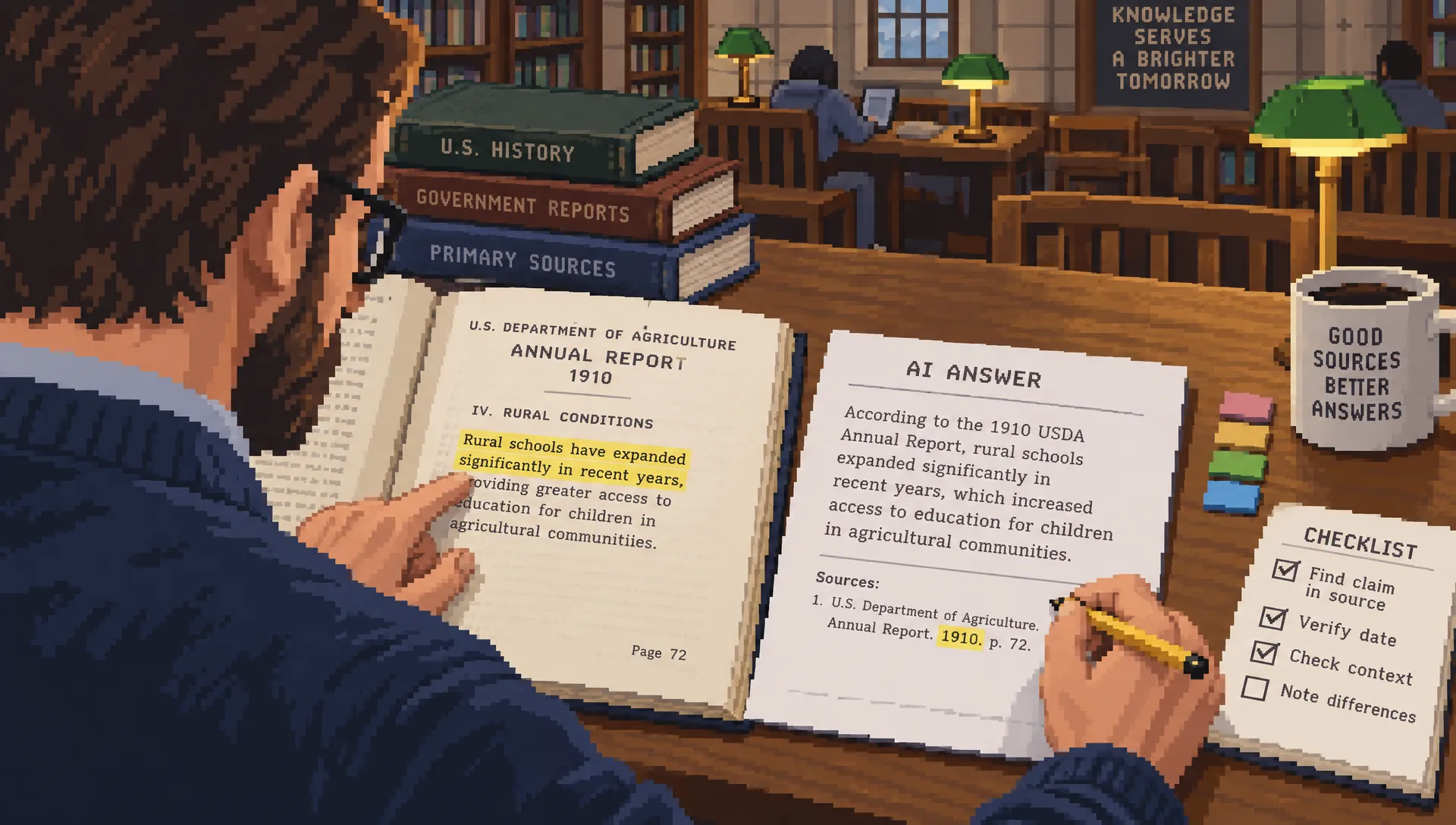
Open the citation attached to that claim. Locate the relevant passage using distinctive wording, then read the surrounding text. Check whether the source actually establishes the statement or merely discusses the same subject.
A report might describe an association while the AI answer presents causation. A vendor page might say a capability exists on one plan while the summary implies it is universal. A benchmark might apply to a specific test rather than everyday performance.
The practical test when you search with AI is whether the source supports the claim at the same level of specificity. “This feature is available” is not supported by evidence that says it is being tested with selected users.
Also check source independence. Three articles repeating the same press release are not three independent confirmations. Follow the evidence back to the original announcement, dataset, paper or policy where possible.
For an important claim, keep a short note with the claim, source, supporting passage and unresolved limitation. This is especially useful if you will publish the finding or share it with colleagues.
If a cited page is inaccessible, mark that claim unverified. A search snippet or another AI-generated summary may help you find the original, but neither substitutes for inspecting it.
Work through a claim before acting on it
Suppose you ask whether adding a noindex tag prevents a search engine from crawling a page. An answer might confidently say yes and recommend blocking the page in robots.txt as an extra precaution.
That combines different mechanisms. Google’s documentation on blocking indexing with noindex explains that Google must be able to crawl a page to see its noindex instruction. Blocking crawling can prevent Google from discovering that instruction.
The verification process changes the decision:
First, isolate the claim: does noindex prevent crawling? Next, consult the documentation for the search engine in question. Then distinguish crawling from indexing before choosing an implementation.
If your goal is to search with AI for technical advice, ask for prerequisites and failure conditions, not just steps. In this example, a useful follow-up is: “What must be true for Google to detect the directive, and how can I check the implementation?”
The lesson applies beyond SEO. A summary can correctly name a setting but misunderstand when it works. Before changing a live system, confirm the instruction against the relevant documentation and test in an appropriate environment.
You do not need to distrust the entire answer because one claim failed. Keep the useful explanation, correct the mechanism and reject the unsupported recommendation.
Check freshness, scope and disagreement
Freshness is not simply the date printed above an article. A recently updated page can discuss an older dataset, and a current summary can cite a policy that has since changed.
Look for the date that matters to the claim: the policy’s effective date, the software version, the study period or the announcement’s availability conditions. Confirm geography and audience too. Guidance for one country, subscription tier or device may not apply elsewhere.
For changing information, search with AI to locate the relevant source, then use that source to establish the current rule. Product availability, prices and travel requirements are poor candidates for relying on remembered model knowledge.
When sources disagree, identify the disagreement rather than asking the assistant to average it away. Are they discussing different dates, populations or definitions? Does one source make a narrower claim?
Ask the tool to list the conflicting statements and link each one. Then inspect them yourself. If the available evidence cannot resolve the issue, “not established” is a useful research result. It prevents an uncertain answer from becoming an unjustified recommendation.
Protect private information and account for personalization
Before entering a query, consider what it reveals. A short question can contain an unpublished strategy, a customer’s identity, a health concern or an internal system detail.
Replace names and identifying details with generic descriptions when they are not necessary. For workplace research, use services approved under your organization’s policies. Do not assume a personal subscription provides the same contractual protections as an approved business environment.
If you search with AI using sensitive context, review the service’s current rules for retention, model improvement, history and connected data. Treat these as separate questions rather than assuming one privacy switch controls everything.
For ChatGPT, OpenAI’s Data Controls FAQ is a useful starting point for understanding the relevant settings. Consult the equivalent documentation for other services and account types. Turning off one use of data does not, by itself, establish every retention or deletion guarantee.
Personalization also affects research. Location, conversation history and account context can influence what you see, which is one reason different users can receive different AI search answers.
For a comparison you need to reproduce, record the query, date, tool and relevant account context. Start a fresh conversation when testing alternatives, while recognizing that a fresh thread does not necessarily remove every source of personalization.
Use voice and images as inputs, not proof
Voice and image search can make a question easier to express. You might dictate a long query, photograph an unfamiliar connector or upload a screenshot of an error message where the service supports those inputs.
Check the captured input before trusting the result. Voice transcription can mishear product names, numbers or negations. Image interpretation can confuse similar objects, miss small print or infer details outside the frame.
For a photographed product, confirm the model number on the label and search the manufacturer’s documentation. For a screenshot, include the exact error text and software version rather than relying entirely on visual interpretation.
Remove private details before uploading, including names, account identifiers, browser tabs and confidential content visible in the background. Also consider whether you have permission to share the document or image.
Multimodal search changes how information enters the system. It does not remove the need to verify the answer against an appropriate source.
Know when to stop searching
Repeated prompting can produce more words without producing better evidence. Stop refining the answer when the remaining uncertainty requires a missing document, a direct measurement or advice from someone qualified to assess your circumstances.
Before acting, use a short final check:
- The claim that determines the decision has an inspectable source.
- The source supports the claim, including its conditions and exceptions.
- The date, location and version match your situation.
- Important conflicting evidence has been addressed or clearly left unresolved.
You can search with AI productively even when some background details remain uncertain. What matters is whether those uncertainties could change the decision.
If an important condition is still unknown, choose a reversible next step. Request the current policy, contact the organization or test the proposed change safely instead of treating the generated answer as permission to proceed.
A sensible stopping point is not “the assistant sounds confident.” It is “the evidence is sufficient for this action, and I understand what remains unknown.”
Frequently asked questions
What is the best AI search engine? The best choice depends on your task and available features. Test whether the tool retrieves useful sources, connects citations to claims and lets you inspect the evidence easily. Verify current access, limits and regional availability before committing to it.
Can I trust an answer if it includes citations? Not automatically. Citations can be irrelevant, outdated or narrower than the claim they accompany. Open the source and check the supporting passage, particularly for recommendations or facts that affect your decision.
How do I search with AI for the latest information? Use a search-enabled feature, specify the relevant date and location, then open current primary sources. Establish freshness from the underlying document’s effective date or version, not merely from the assistant’s wording.
Is Google AI Mode the same as an AI Overview? They are different Google search experiences. AI Overviews provide generated summaries within search results, while AI Mode is designed for more conversational exploration. Availability and presentation can change, so check the experience offered in your region and account.
Should I ask two AI tools to confirm an answer? Comparing answers can reveal omissions, but agreement is not independent verification. Both tools may rely on the same source or repeat the same misunderstanding. Check the underlying evidence rather than counting matching responses.
Make the next search easier to audit
For your next research task, keep three things together: the question, the decisive claim and the original source that supports it. That small habit makes AI-assisted research easier to review and reuse.
Explore Search Optimization’s AI search and SEO guides to apply the same evidence-first approach to content planning, technical research and search visibility.
Read more

How OpenAI Search Handles Paywalls and Subscriber Content
A paywalled article can appear in an AI answer without its full text being available. Learn how citations, publisher agreements and crawler controls differ, then protect subscriber content without hiding every useful preview.

How to Manage Your Privacy in ChatGPT Search
Turning off model training does not make web searches anonymous or erase saved information. Learn which settings control memory, location and chat retention, plus what to check before opening a result or searching with work data.

How ChatGPT and Google Handle Fresh Information
An answer can sound current while relying on old evidence. Learn how each platform finds updates, how to check time-sensitive claims and what publishers can do to make genuine changes easier to discover.